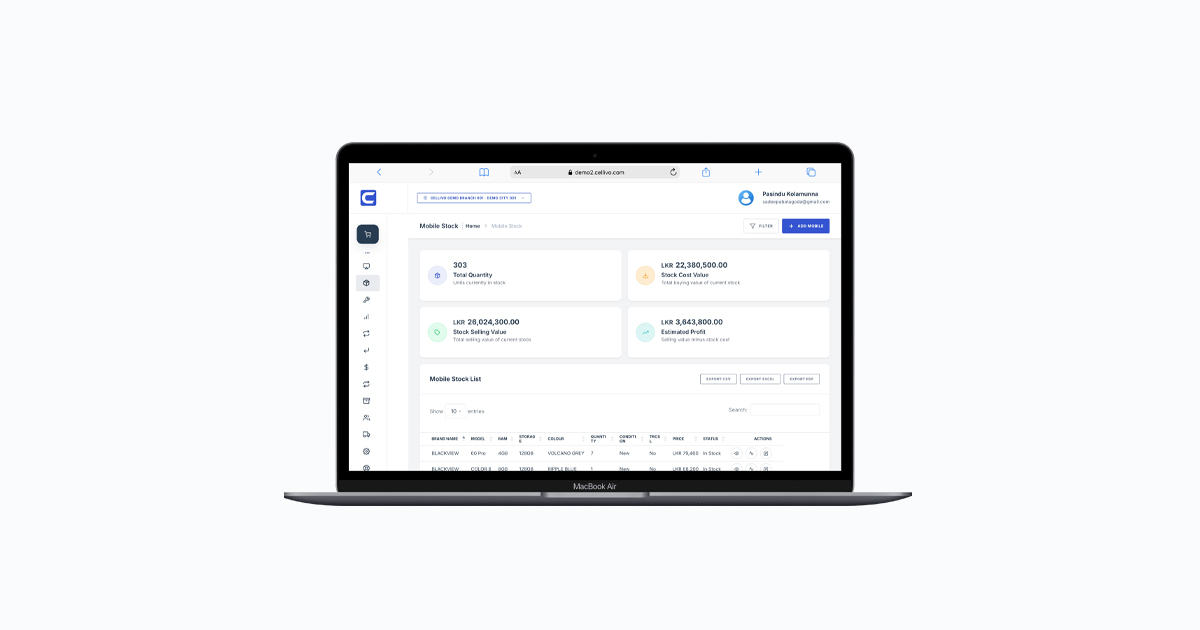
Mobile phone shop inventory management is one of the biggest challenges for retailers. With a mix of devices, accessories, and repair parts, even small mistakes can lead to stock mismatches and lost revenue.
From our experience working with phone shops across Sri Lanka, poor inventory control is one of the main reasons for business losses. This is why having a proper mobile phone shop inventory management system is essential.
Why Mobile Phone Shop Inventory Management Is Important
Unlike other retail stores, mobile shops handle high-value items like smartphones with unique identifiers such as IMEI numbers.
Without a proper system, shop owners face:
- Stock mismatches
- Lost or untracked devices
- Difficulty managing accessories and spare parts
- Errors in billing and reporting
A modern mobile shop POS system helps solve these issues by connecting inventory with billing and sales.
1. Track Every Device Using IMEI
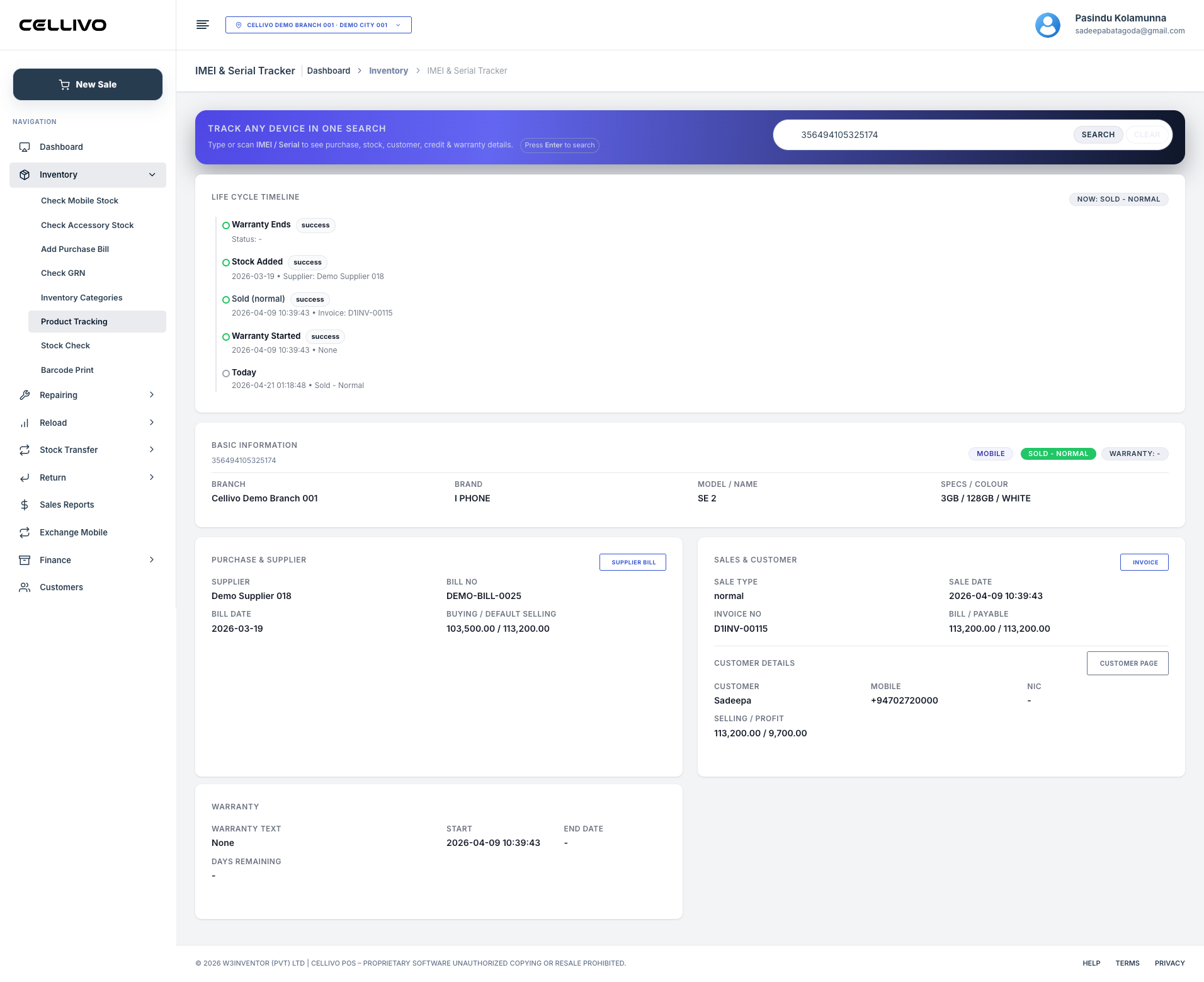
Each phone must be tracked individually using its IMEI number. Bulk inventory systems are not suitable for mobile devices.
Using an IMEI tracking system, you can manage each device separately, ensuring accuracy and better control.
2. Use a Centralized Inventory System
A centralized inventory management system allows you to track all stock from one dashboard.
This is especially useful for shops managing multiple product categories or branches.
3. Sync Inventory with Billing
Inventory and billing should always be connected. When a sale happens, stock should update automatically.
A POS system for phone shop ensures real-time stock updates and reduces manual errors.
4. Manage Accessories and Spare Parts Properly
Phone shops often overlook accessory inventory, leading to confusion and losses.
Proper categorization and tracking of accessories help maintain better control over stock.
5. Monitor Stock Levels and Alerts
Low-stock alerts help you avoid running out of fast-moving products.
Modern systems notify you when stock levels drop below a certain limit.
Common Inventory Mistakes in Mobile Shops
Based on real-world experience, these are the most common mistakes:
- Tracking stock manually using spreadsheets
- Not using IMEI tracking for devices
- Disconnecting inventory from billing
- Ignoring low-stock alerts
Real Example from a Mobile Shop
A mobile shop in Colombo we worked with had frequent stock mismatches due to manual tracking. After switching to a POS-based inventory system, they reduced stock errors by over 75% within a few months.
This also improved their billing accuracy and customer satisfaction.
Conclusion
Effective mobile phone shop inventory management is critical for running a successful business. Without proper tracking, even small errors can lead to major losses.
If you want to manage your inventory efficiently, explore our mobile shop POS system and see how it simplifies stock control, billing, and operations.
Frequently Asked Questions
What is inventory management in a mobile shop?
It is the process of tracking and managing mobile devices, accessories, and stock levels efficiently.
Why is IMEI tracking important for inventory?
IMEI tracking allows you to manage each device individually and avoid stock confusion.
Can POS systems manage inventory?
Yes, modern POS systems include built-in inventory management features for real-time tracking.
Is inventory management important for small shops?
Yes, even small shops benefit from accurate inventory control to avoid losses and improve efficiency.